A living second brain thatconnects everythingyou think with
Your AI agents, your notes, and whatever comes next — unified in one knowledge graph. Open-source, local-first.
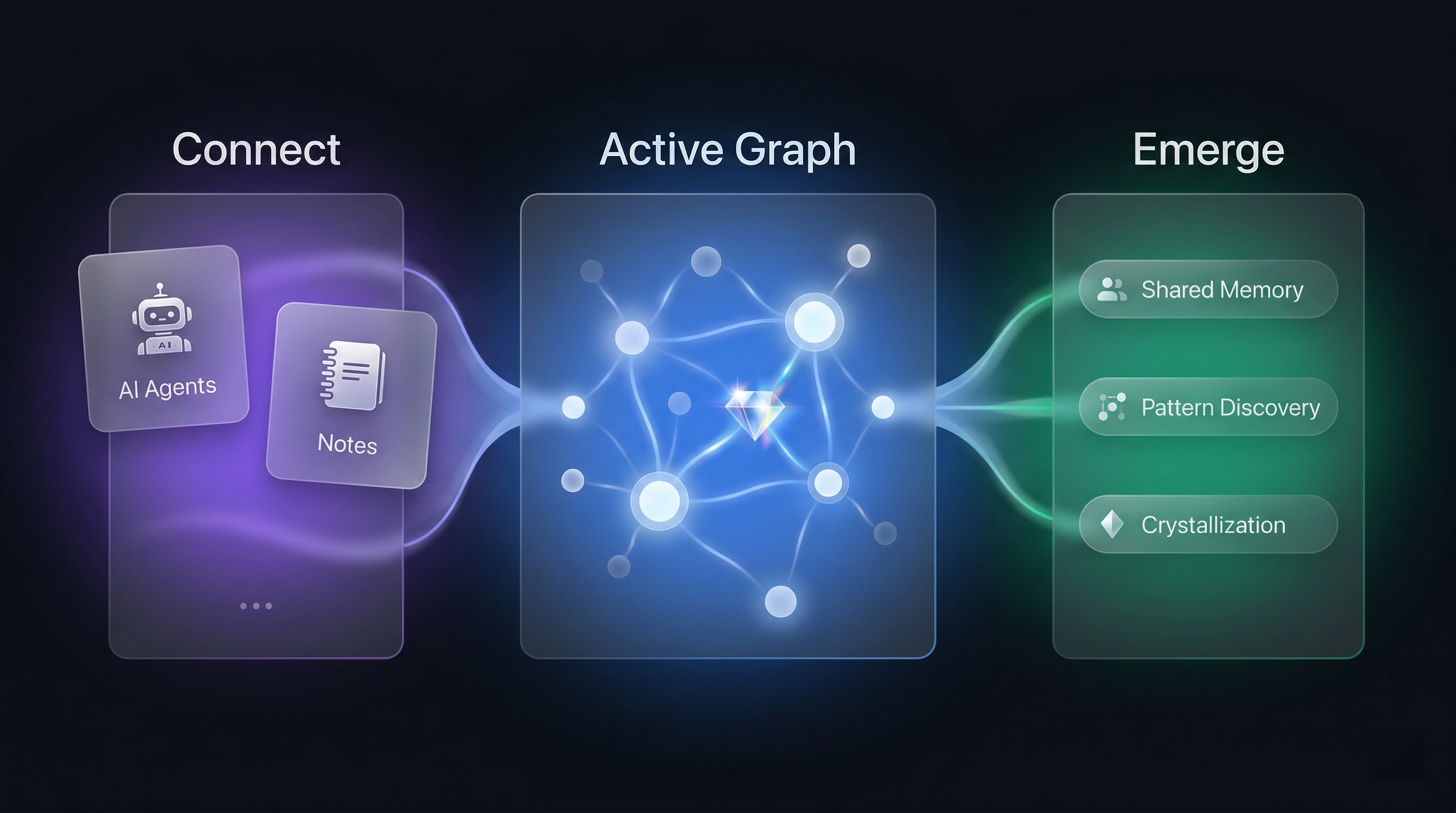
Your memory is scattered
Claude remembers you like concise code, but Cursor has no idea. You spent a week organizing design thinking in your notes, but the next time you discuss it with an AI, it knows nothing. Every tool quietly accumulates its own understanding of you, yet nothing connects them.
Siloed Memory
Each AI tool keeps its own memory. None of them talk to each other.
Flat Fact Lists
Existing AI memory just lists facts. No linking, no discovering, no evolving.
Growing Noise
As memories pile up, data grows redundant and harder to retrieve.
The deeper problem isn't data sync. It's cognitive fragmentation.
Everything a second brain should be
Not just storage — a genuine extension of your cognitive system.
Unified Memory
All your AI tools and notes share one knowledge graph. Conversations across different AIs, notes across different apps — no longer scattered in silos, but woven together.
Complete Profile
At the start of each conversation, your AI receives a profile distilled from all past interactions — who you are, how you think, what you care about.
Graph-Navigating Recall
Follow links between memories — from a decision to the discussion behind it, then to later changes it triggered. On-demand exploration, not keyword guessing.
Living Metabolism
Memories decay naturally, divergent scanning discovers hidden connections, and important patterns crystallize — like biological memory.
Note Sync
Import from Obsidian, Logseq, and Apple Notes with a single click. Notes and AI conversations cross-pollinate in one graph.
100% Local
All data lives in a single SQLite file on your machine, exportable to Markdown anytime. No cloud, no vendor lock-in. Fully local with Ollama or mix with cloud models.
Three cognitive operations
This isn't CRUD. It's modeled after how biological memory works — through the MCP protocol.
Load memory context
Start of every conversation
Like opening a memory map — your AI receives your complete profile and key memories.
Navigate and retrieve
When you need historical context
More than search — AI follows links between memories, exploring the graph on demand. Each recall strengthens the memory.
Store new information
When something worth remembering emerges
Not just saving — incoming information is decomposed, connected, and woven into the existing knowledge network.
Background Metabolism
Like the brain organizing memories during sleep — TideMind continuously maintains the graph.
Natural Decay
Inactive memories fade. Hub nodes are protected.
Divergent Scanning
Discovers hidden connections between unlinked ideas.
Crystal Emergence
Important patterns crystallize into distilled insights.
How it's different
| Typical AI Memory | TideMind | |
|---|---|---|
| Profile | No profile, or siloed within a single AI | Complete profile built from all your data, delivered at the start of every conversation |
| Storage | Flat list of facts | Knowledge graph where memories dynamically evolve across multiple dimensions |
| Recall | Keyword / vector top-K | Starts from relevant memories, follows links to explore, expands on demand |
| Emerge | Stored memories stay frozen | A living system that surfaces new cognition |
| Data | Cloud / vendor-locked | Local SQLite file, export to Markdown anytime |
See what your brain is thinking
The desktop client is an inspection tool — for observing what your external brain is discovering and forgetting. Your main interface is whatever AI tool you already use.
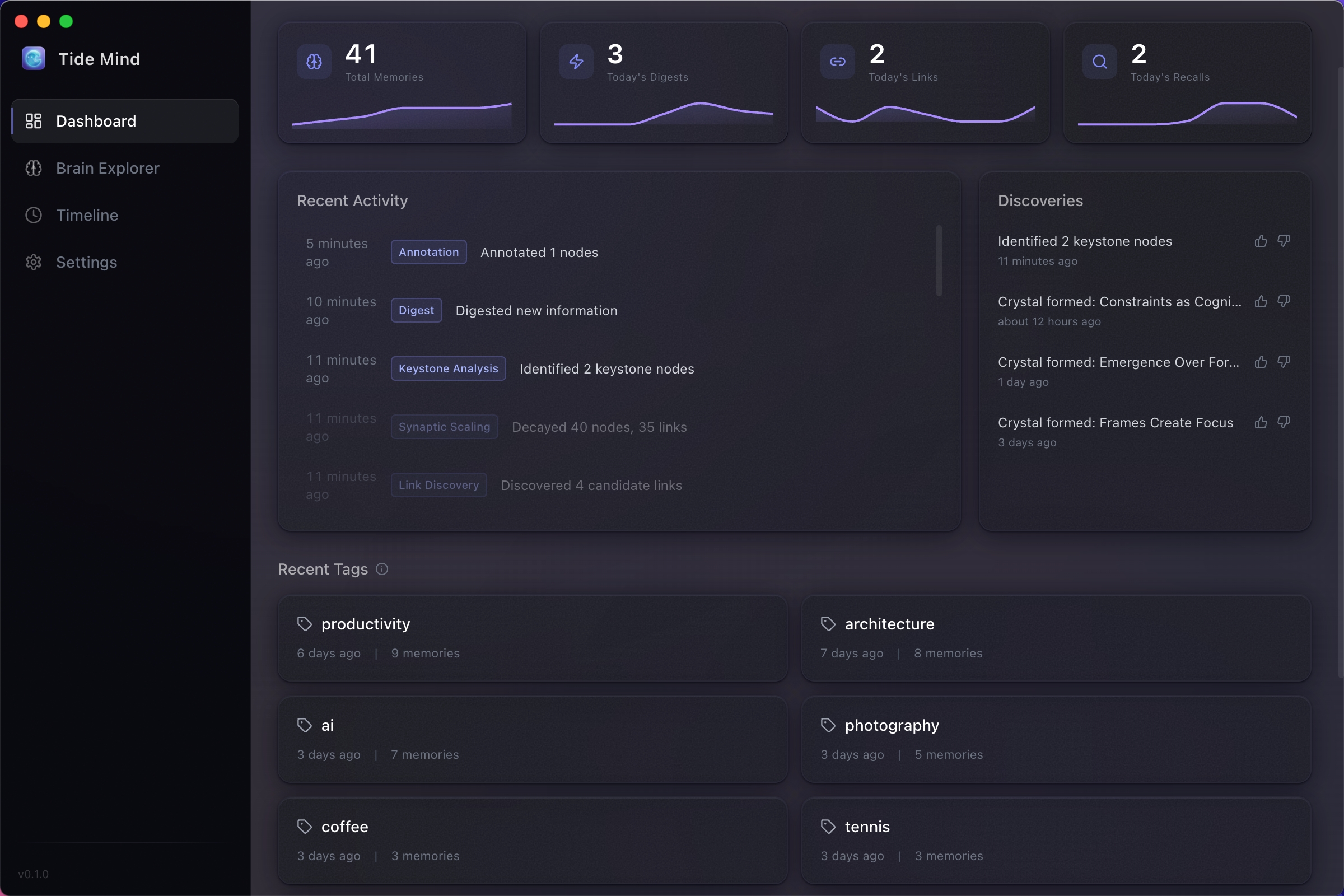
Dashboard
Real-time pulse of your second brain — metrics, activity feed, crystal discoveries.
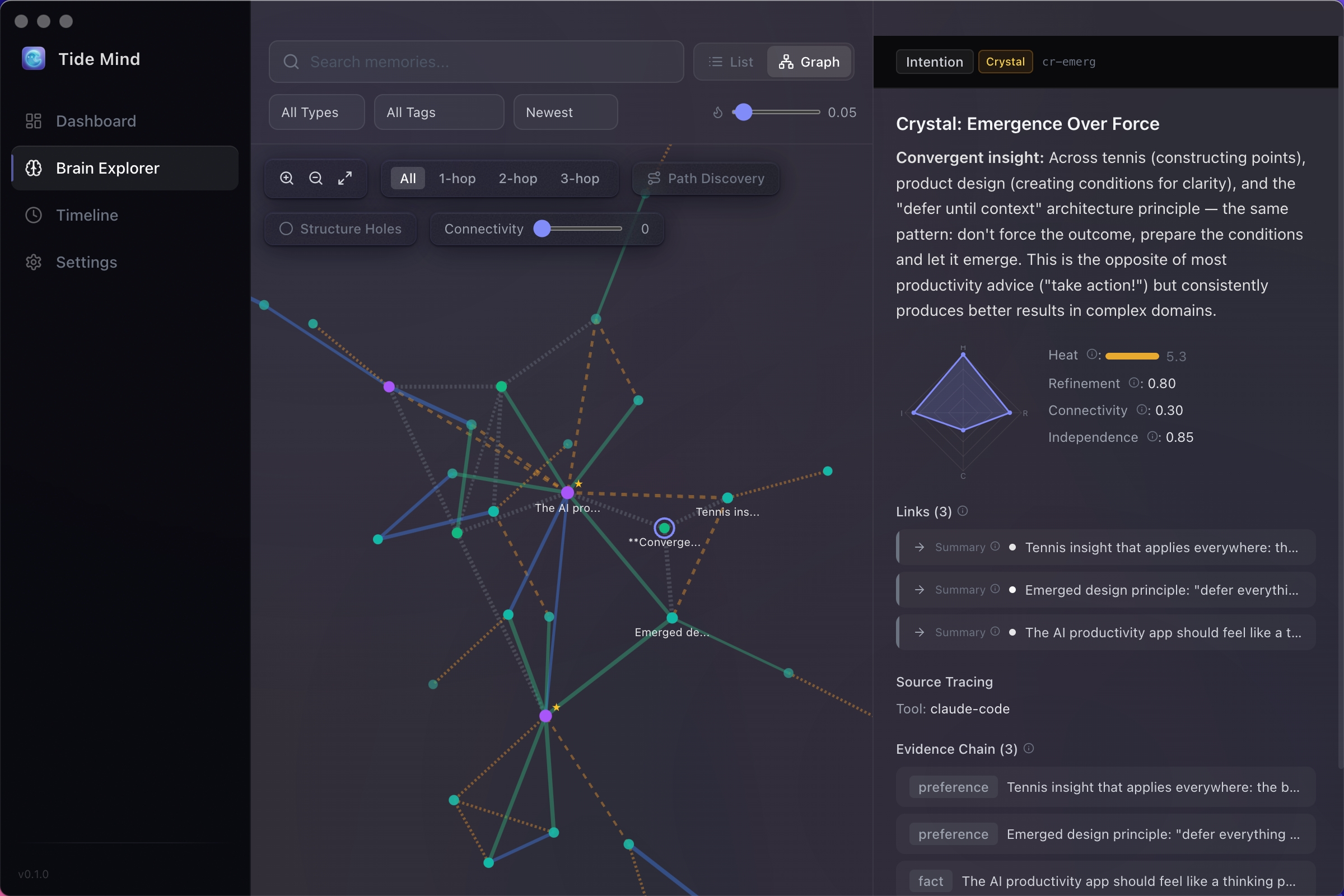
Brain Explorer
Visualize how your memories connect across domains in an interactive graph.
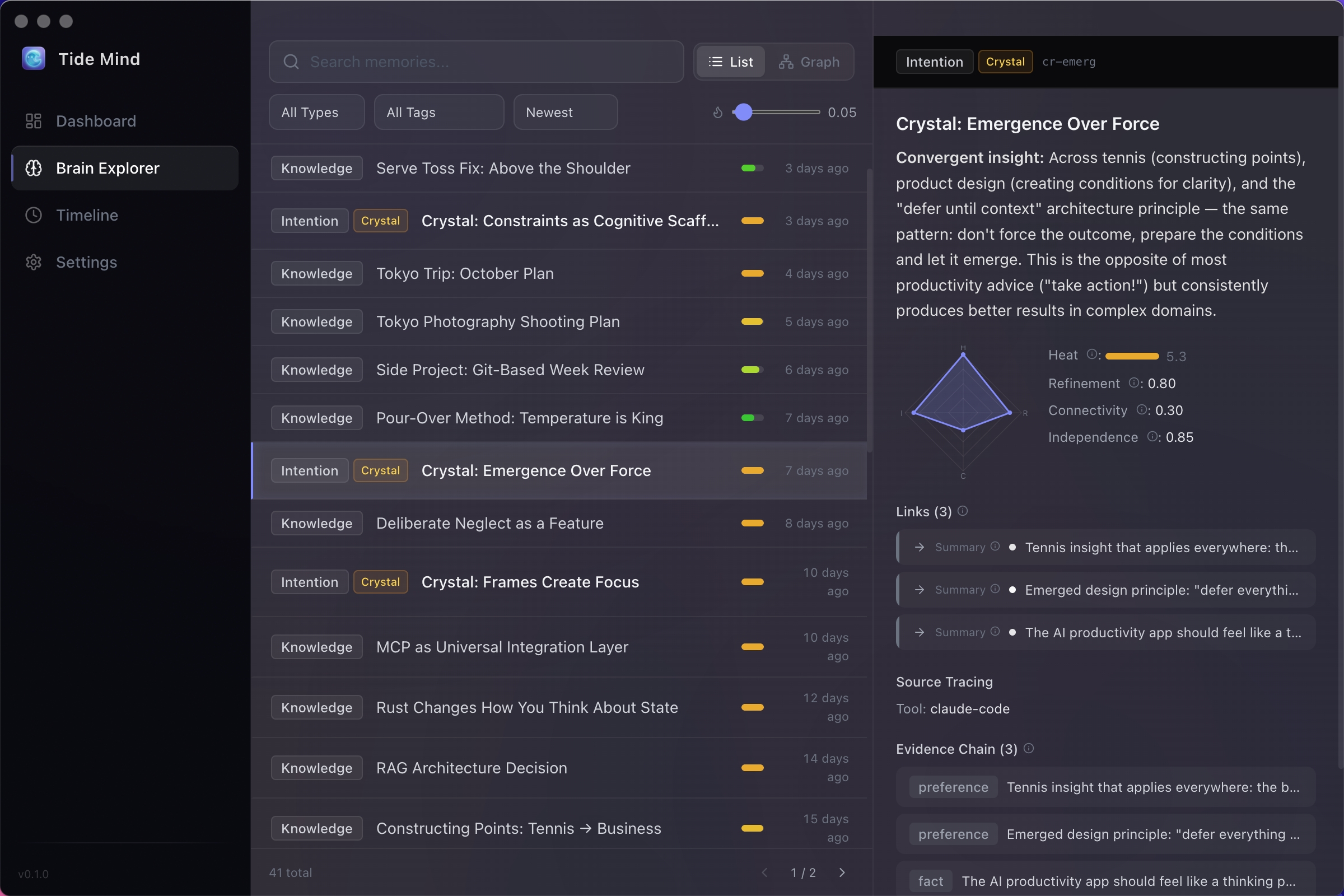
Memory Detail
Four-dimensional maturity model, evidence chains, and linked nodes.
Works with your tools
Connect through the MCP protocol — one config, no habit changes.
AI Tools
Note Systems
Frequently Asked Questions
Common questions about TideMind — what it is, how it works, and how it's different.
How is TideMind different from Obsidian / Notion / Mem?
I already have a note system. Why do I need TideMind?
Where is my data stored? Is it secure?
Do I need an API key? Which models are supported?
How do I install it? Do I need a technical background?
"Memories naturally fade" — does that mean my data gets deleted?
What's the difference between TideMind (open source) and TideMind Cloud?
Get TideMind
Start building your external brain today. All your data stays on your machine.